CiteMed
Restructured an AI-assisted clinical-evidence platform around how medical device teams review literature, and cut screening time by 50%.
- Role
- Senior Product Designer
- Timeline
- Feb – Jul 2026
Shipped - Scope
- Product strategy
Information architecture
UX/UI - Worked with
- CEO
Product
Engineering
Industry experts - Industry
- Healthcare technology
B2B SaaS
10+ → 4
More than 10 navigation options consolidated into four stages of a literature review.
50%
Less time spent screening scientific literature.
AI built in
Assistance in search, screening and extraction, reducing manual effort.
Reusable research
A shared reference library teams build on instead of starting from scratch.
“Elisey has done terrific UX and UI work for us. We operate in a complex industry, with incredibly technical users. He's made an involved workflow substantially more streamlined for our users, and has led our team in re-imagining what's possible for our user experience. Couldn't recommend him enough.”
/01. Information architecture
From scattered features to a clear workflow
I started with detailed conversations with Ethan Drower, CiteMed's CEO, to understand how medical device teams approach literature reviews and where the product structure created friction.
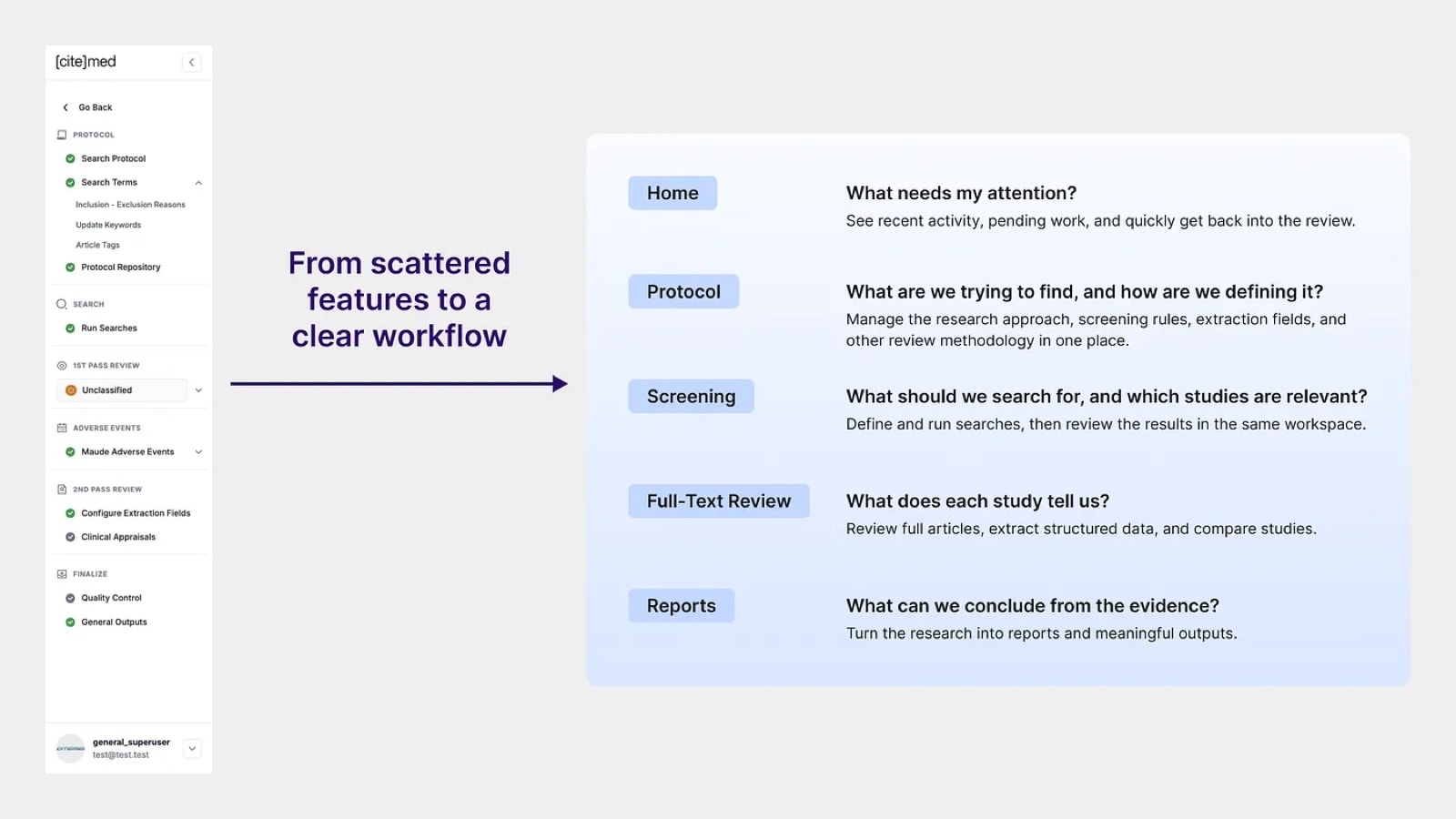
Protocols, searches, screening and evidence review were spread across more than 10 navigation options. Each supported an important step, but users struggled to see where they were and what to do next. The navigation also treated reviews as linear, when in reality teams keep returning to earlier stages to refine criteria, update searches and review more studies.
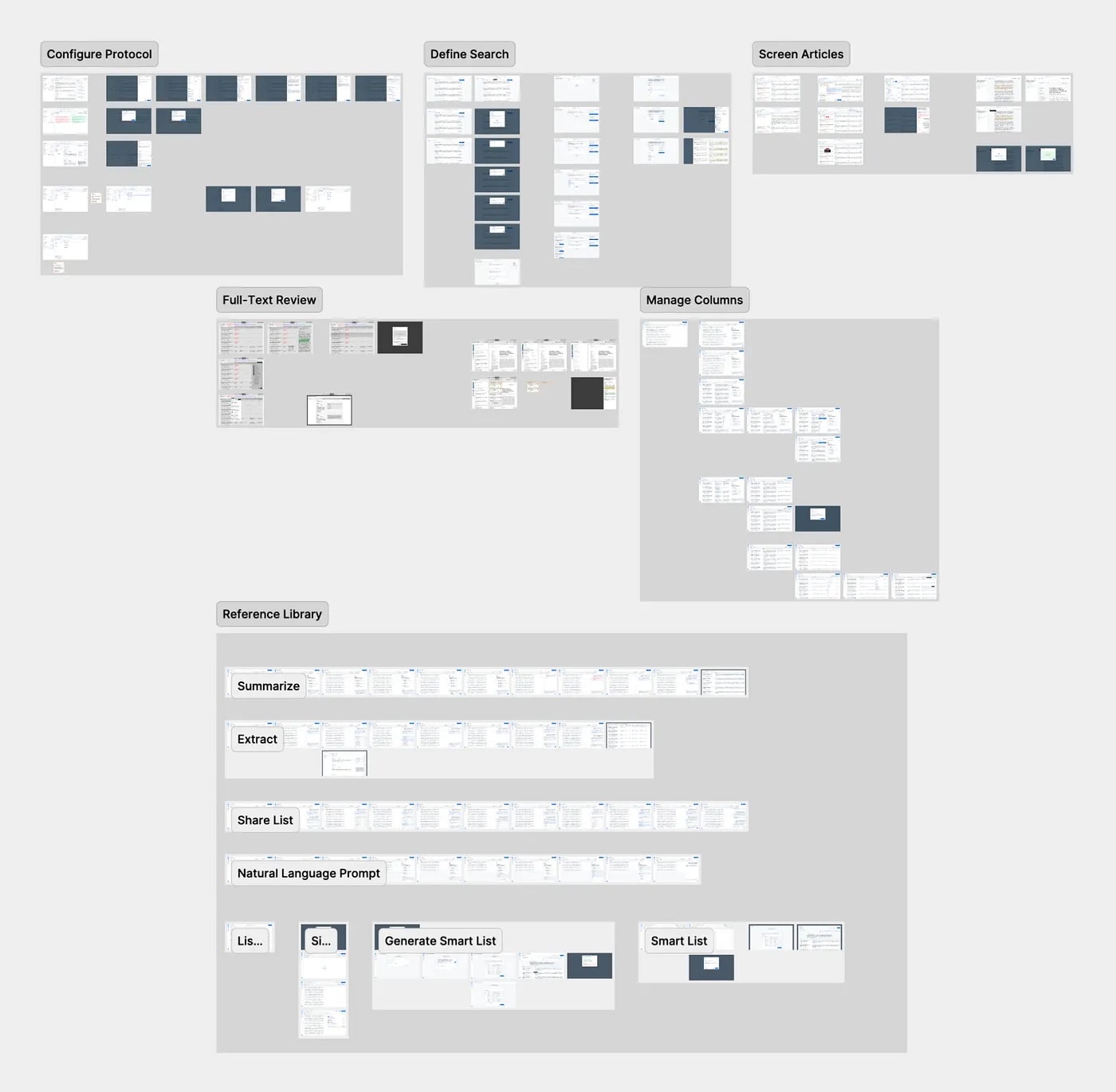
I restructured the product around four core stages, with a home view for what needs attention. Each stage answers one question researchers ask, and users can move between stages as their research evolves.
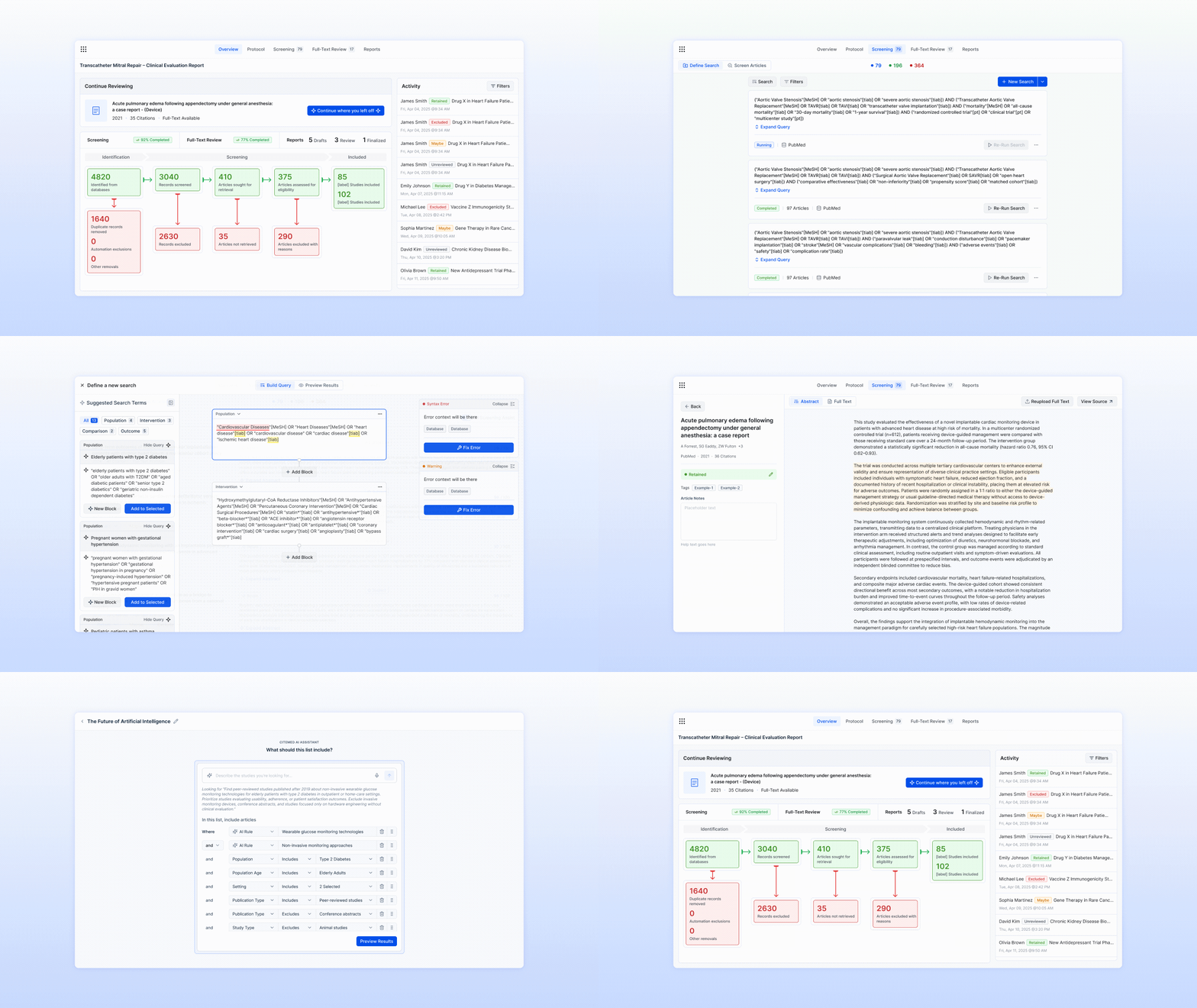
From there, I designed the end-to-end flows across every stage: configuring protocols, defining searches, screening articles, full-text review, managing columns, and the reference library with its summarize, extract, share and smart list flows.
/02. Search and screening
Better searches, faster decisions
The quality of a review depends on its search. Too narrow, and it misses important evidence. Too broad, and it returns thousands of irrelevant articles that still need screening.
Starting from a research question
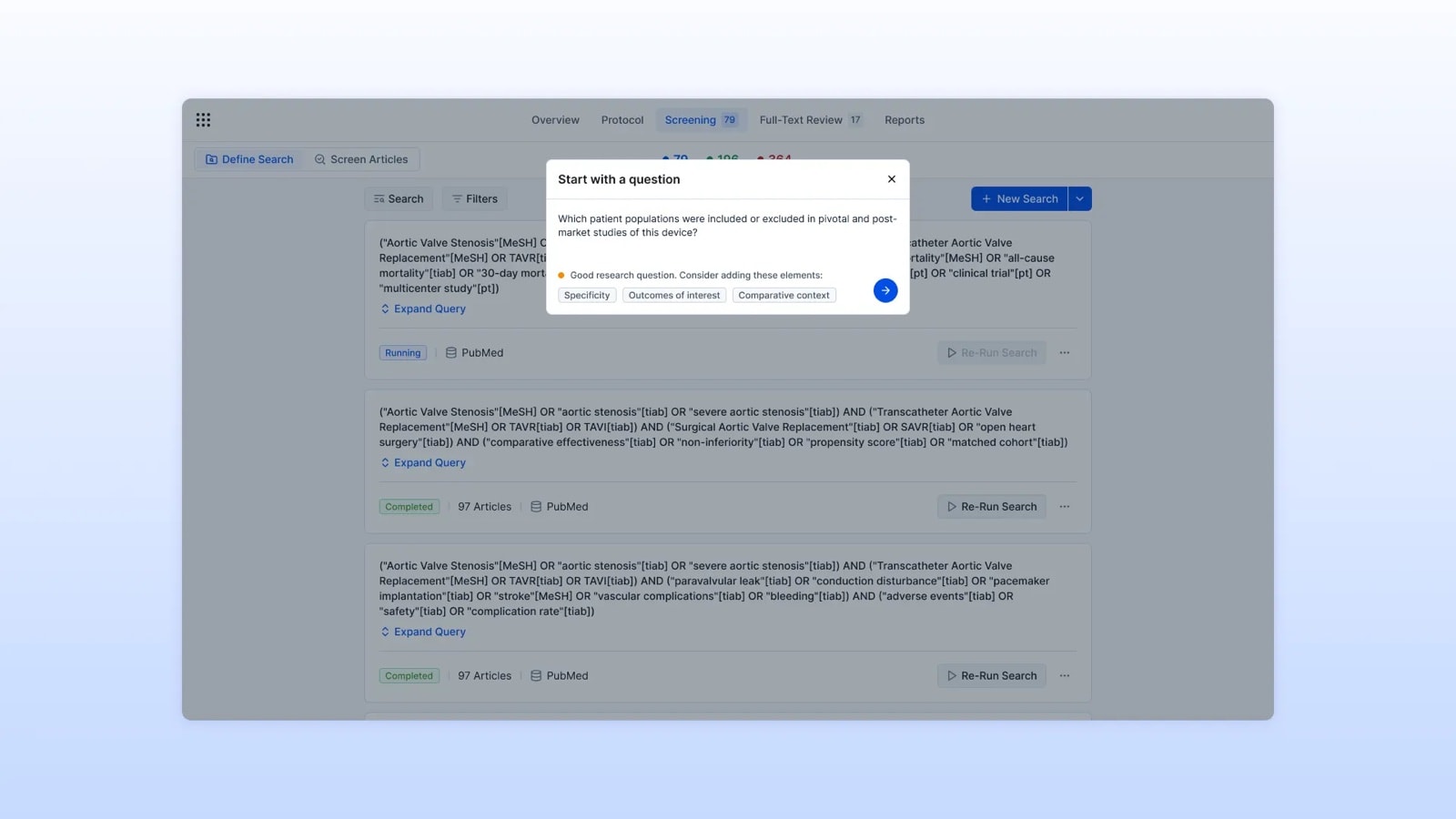
Database queries use specialized syntax that takes real experience to write. Feedback from early users showed that many struggled to turn research questions into queries that produced useful results. I designed a guided search that starts with a question in plain language, suggests what would make it stronger, such as specificity, outcomes of interest or comparative context, then generates database-ready syntax.
Full control for experienced researchers
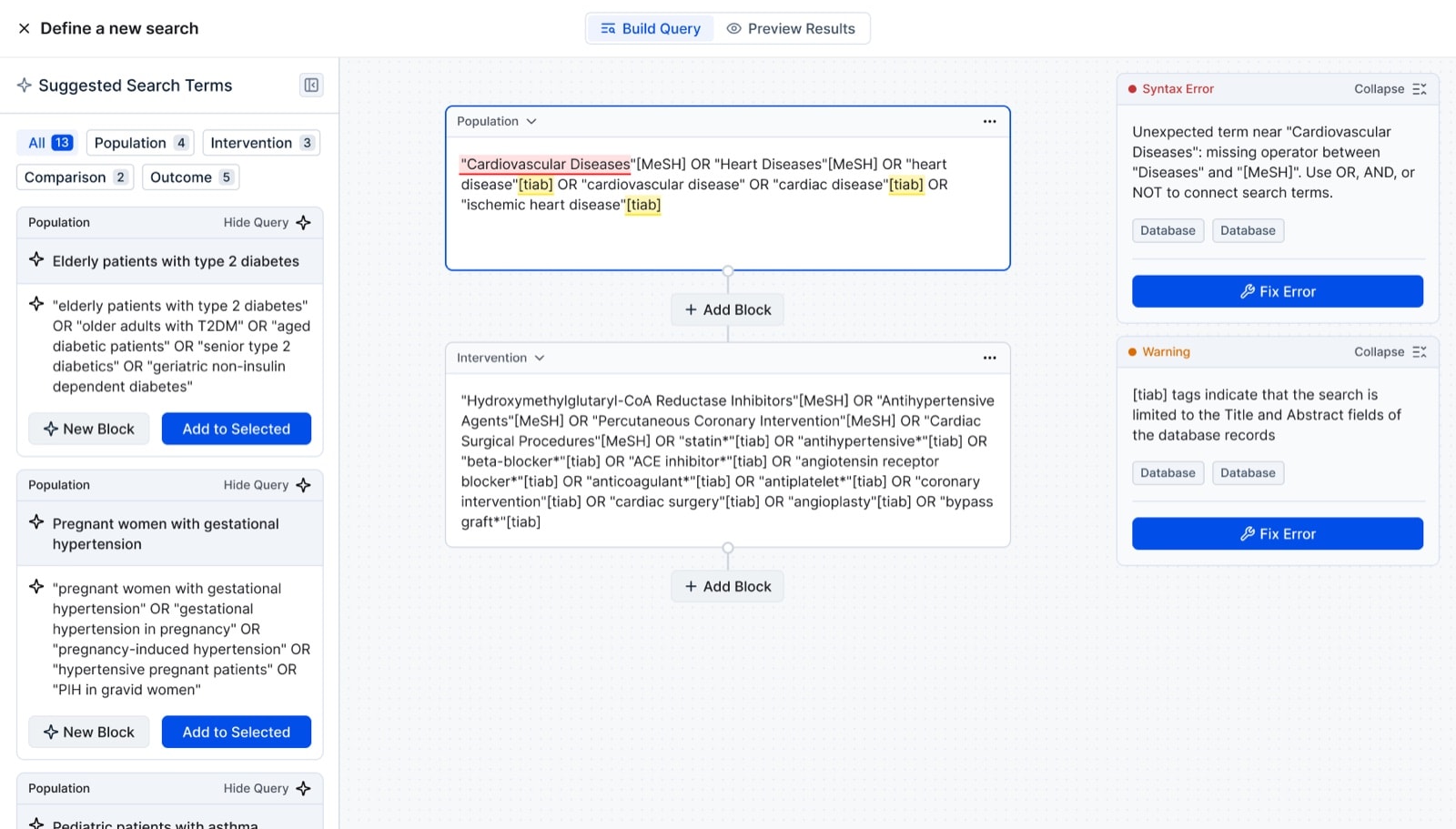
Experts still want to write their own strategy. I organized the query builder around PICO, a widely used framework for clinical research questions, with search terms suggested from the protocol and device details. It validates syntax in real time, so errors are caught before a search runs.
Screening built for quick decisions
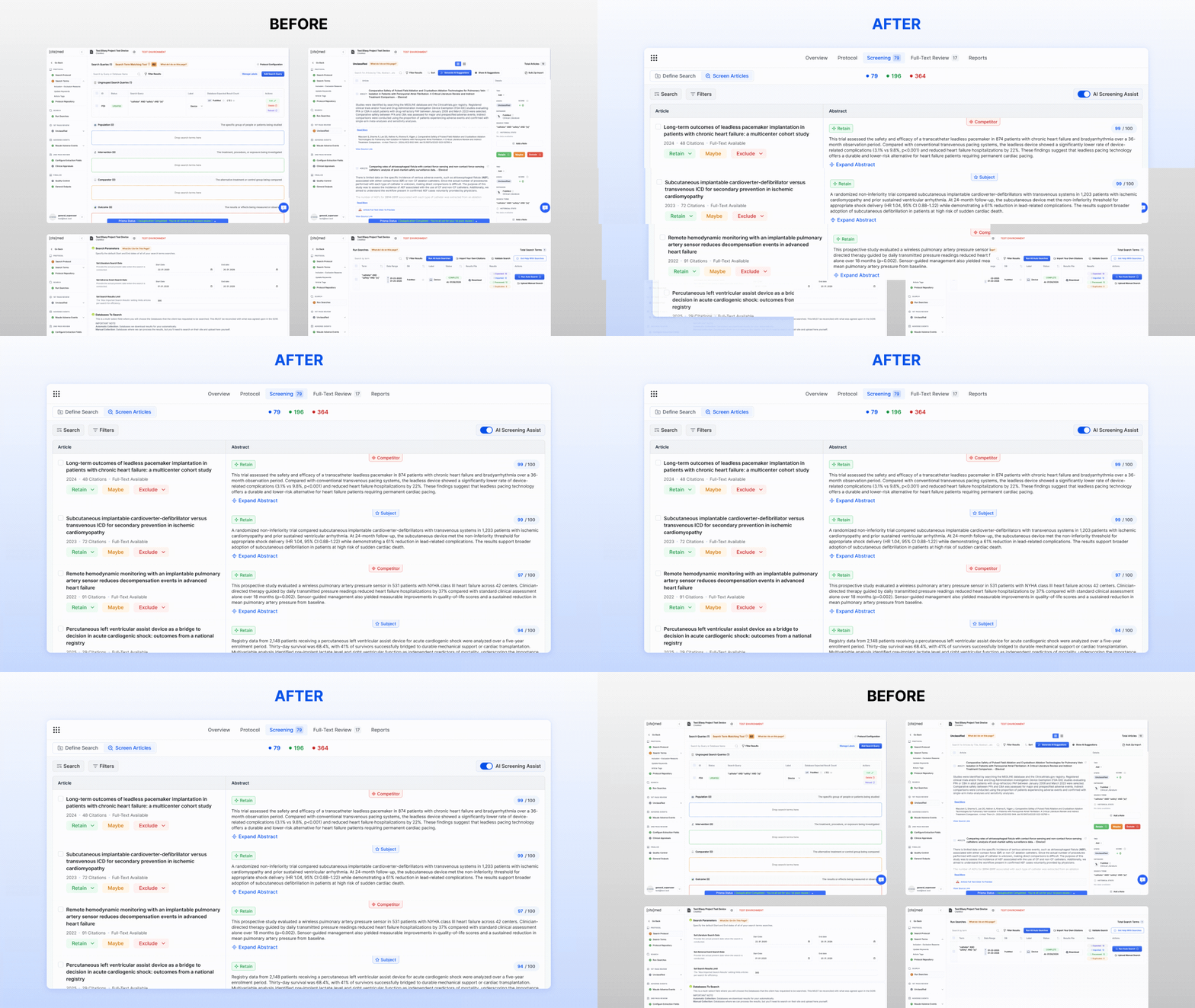
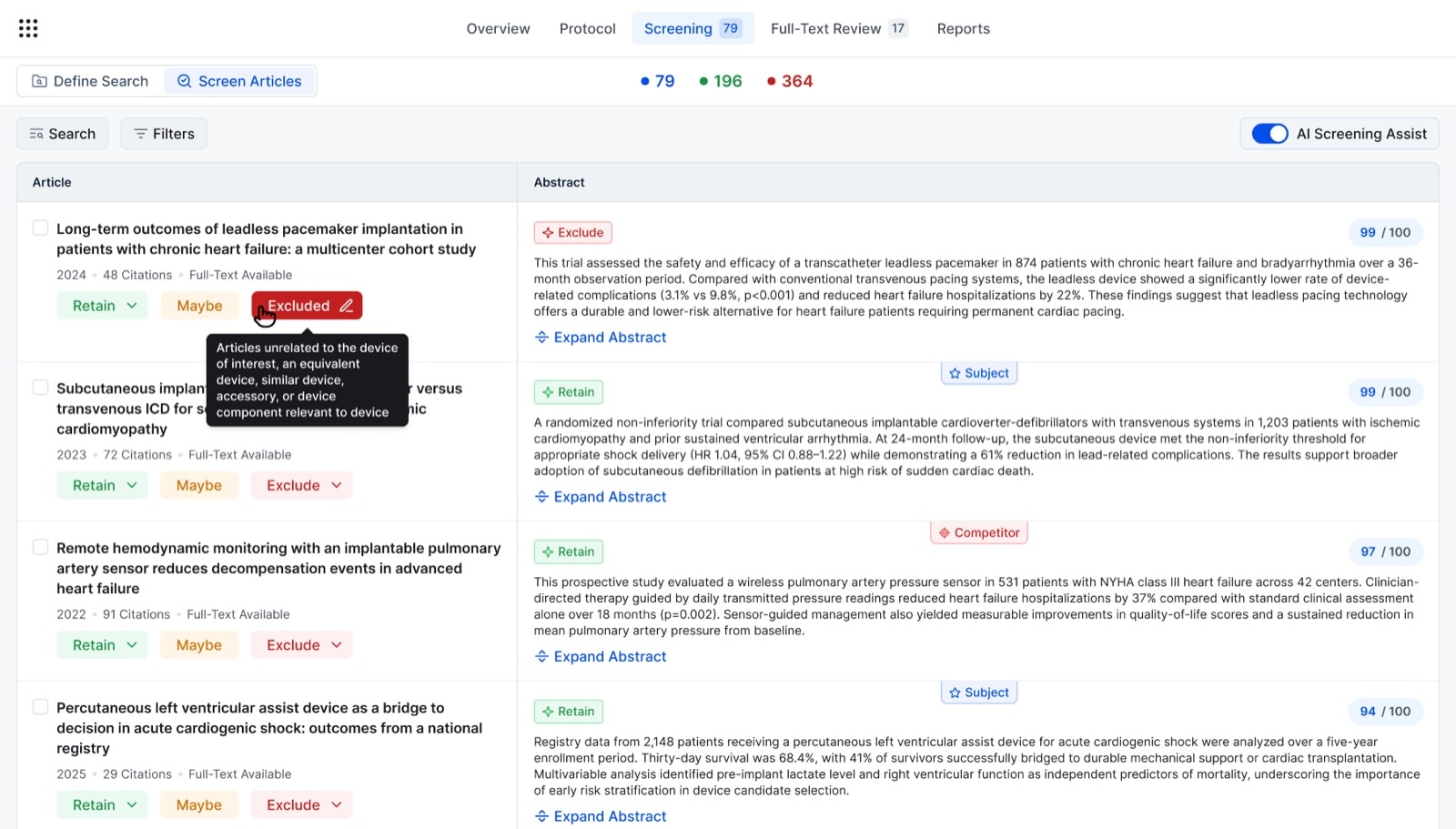
After a search, researchers decide which of hundreds of articles move forward. I kept abstracts visible next to the screening actions, so studies can be judged without opening and closing records. AI Screening Assist highlights relevant passages and recommends a decision based on the protocol criteria.
50% less time spent screening literature.
/03. Full-text review
Reviewing studies without losing the whole picture
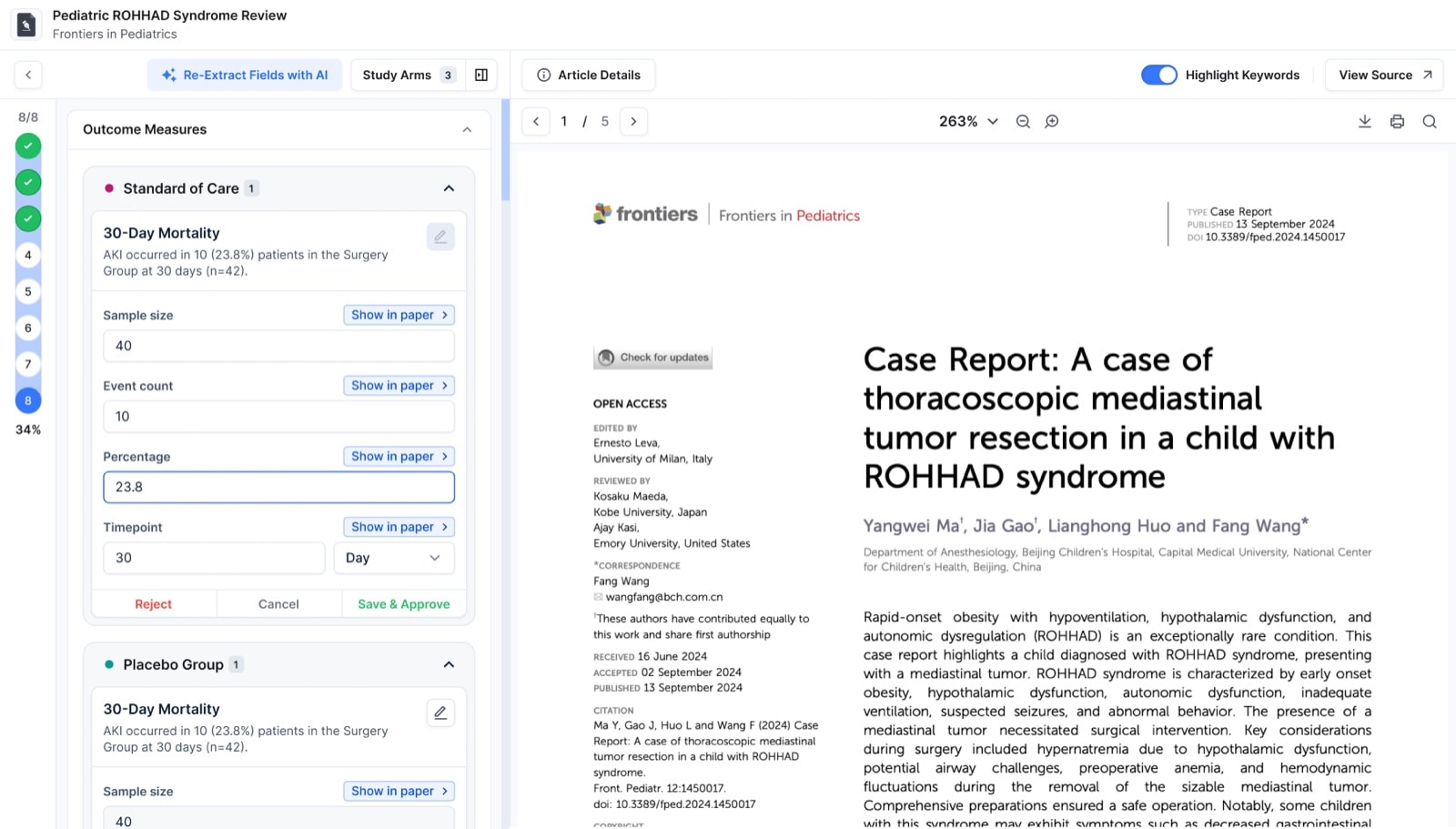
The previous experience showed basic article information in a table, with little sense of progress. Opening an article led to a long list of extraction fields, making it hard to understand the study as a whole.
Finding specific details in a paper, understanding them in the context of the study and recording them consistently takes significant time. I wanted to make that work easier without taking researchers out of the review.
I organized extracted data into study arms and structured sections, reflecting how researchers break down evidence. AI-assisted extraction finds the relevant information in the article and gives researchers a starting point to review.
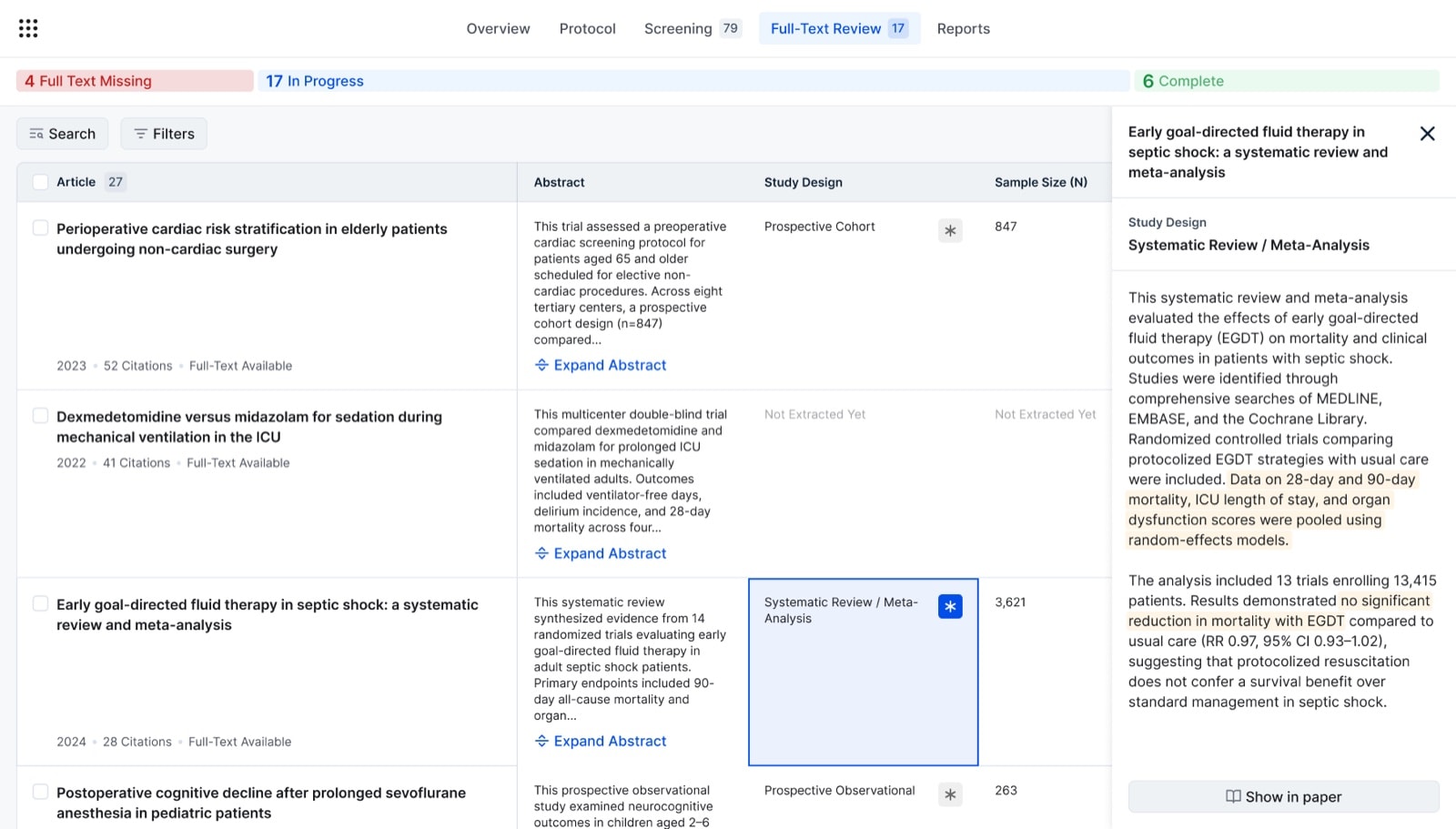
Comparing evidence across studies
Across the full set of studies, researchers shape their own view of the evidence, choosing the fields they need to compare instead of working from fixed columns.
/04. Smart reference library
Research that teams reuse across devices
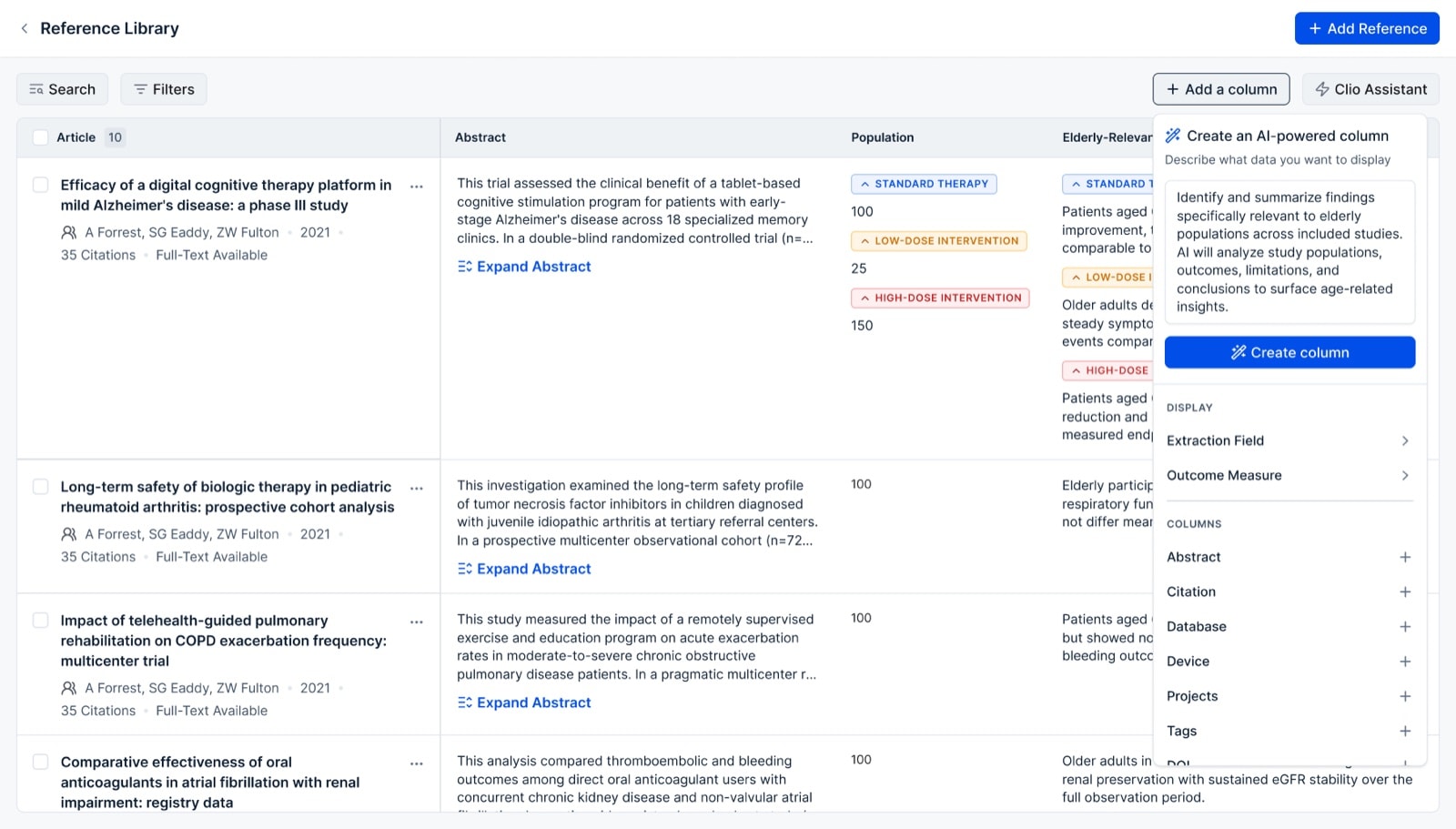
The same literature often supports several device reviews over time, but references were tied to individual projects. I moved them into a shared library that teams build on and shape around what they need to compare.
AI makes the library useful beyond what's already captured: researchers can ask new questions across their references and see the answers as columns.
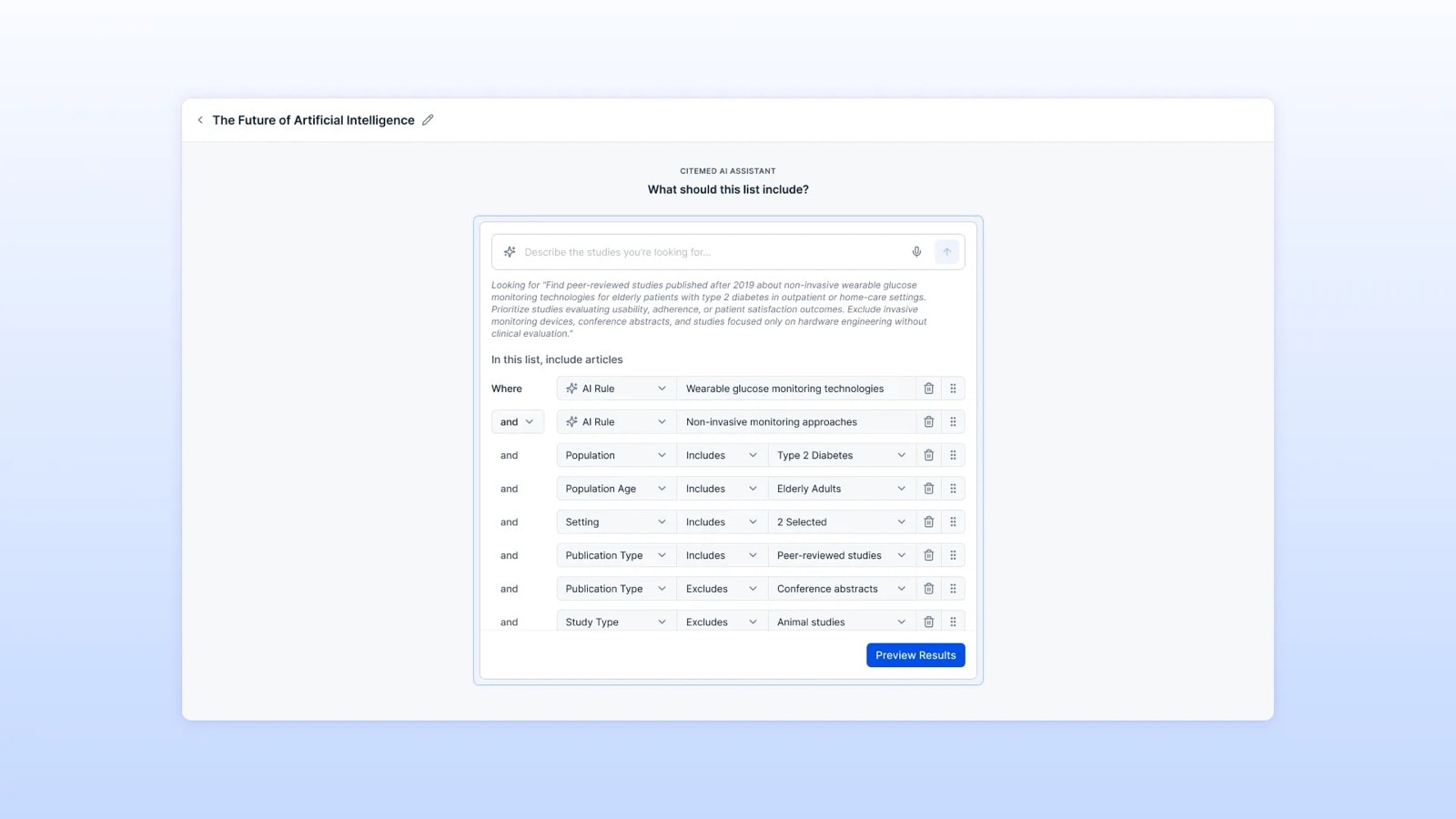
Smart lists extend this further. Teams describe what they're looking for in plain language, refine it with AI and structured rules, and the platform keeps the list up to date as new research is added.
/05. Clio AI assistant
AI that works alongside researchers
A generic chatbot wouldn't fit a complex evidence workflow. Researchers need help that understands what they're working on.
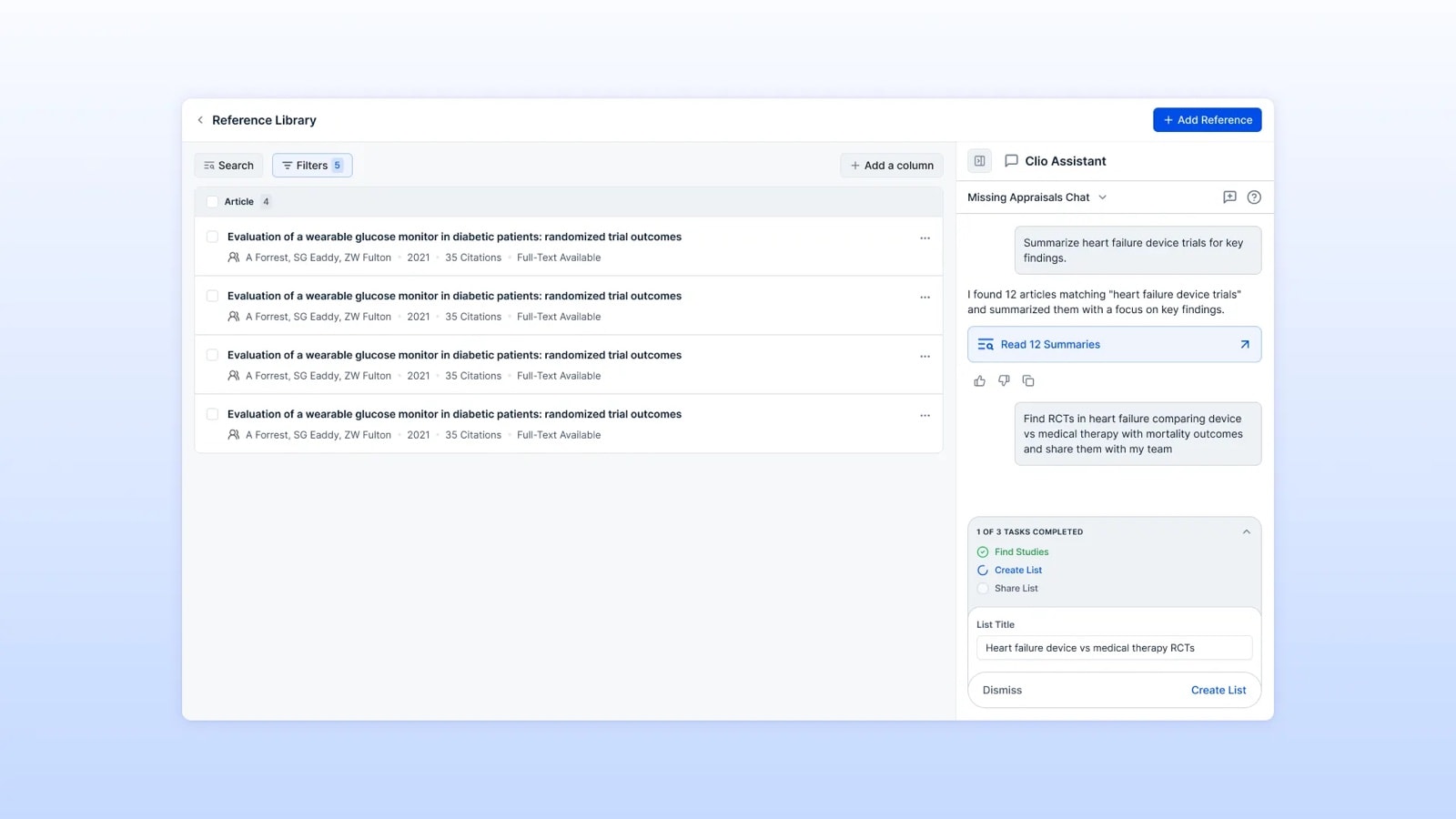
I designed Clio, a contextual assistant that adapts to where researchers are: an article, the reference library, or a report. It summarizes information, extracts data, finds studies, organizes references and improves content.
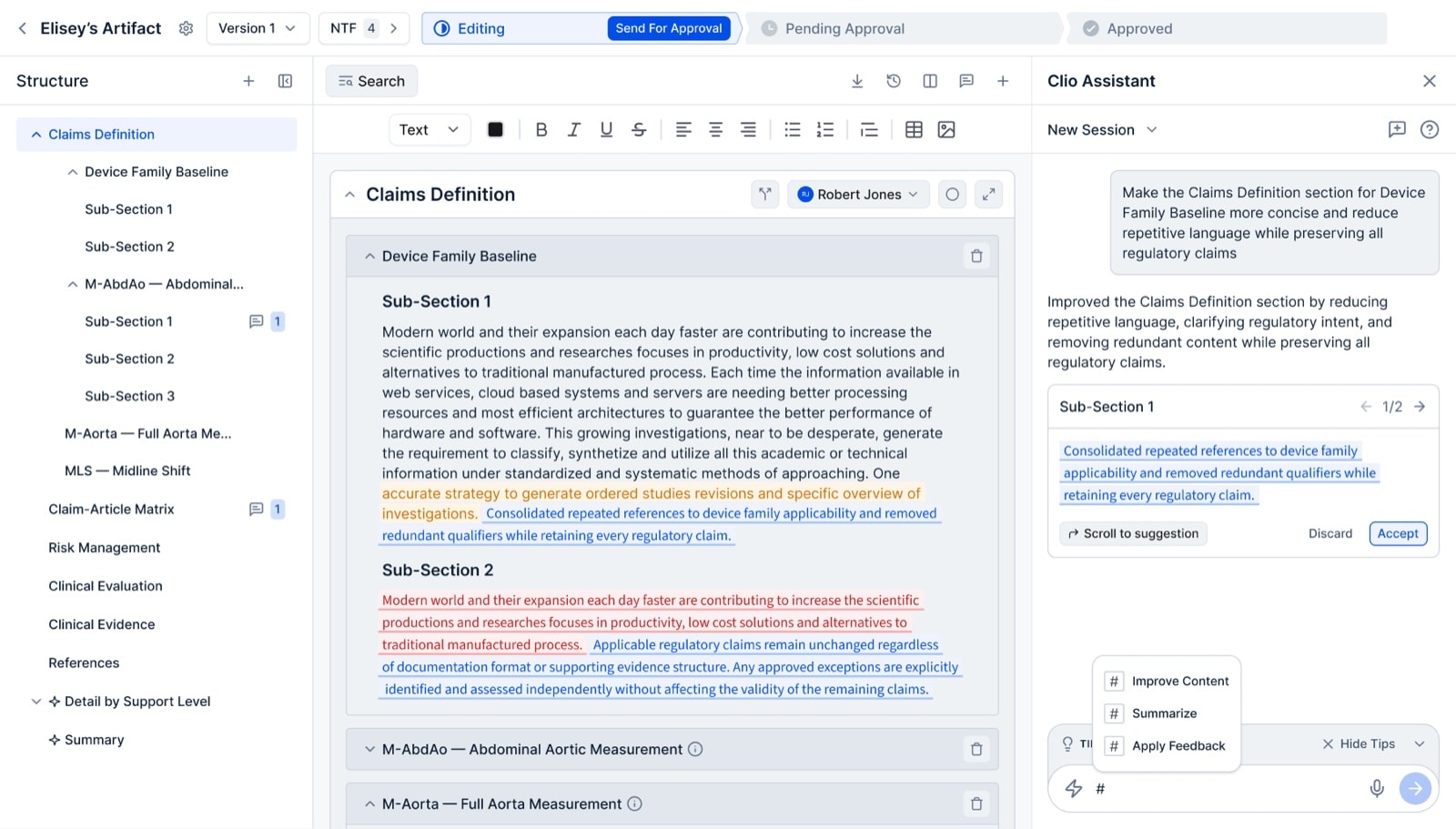
Clio can also complete multi-step actions, such as finding studies, creating a list and sharing it with the team. It keeps researchers involved by showing the planned steps and asking for approval before making changes.