Covision
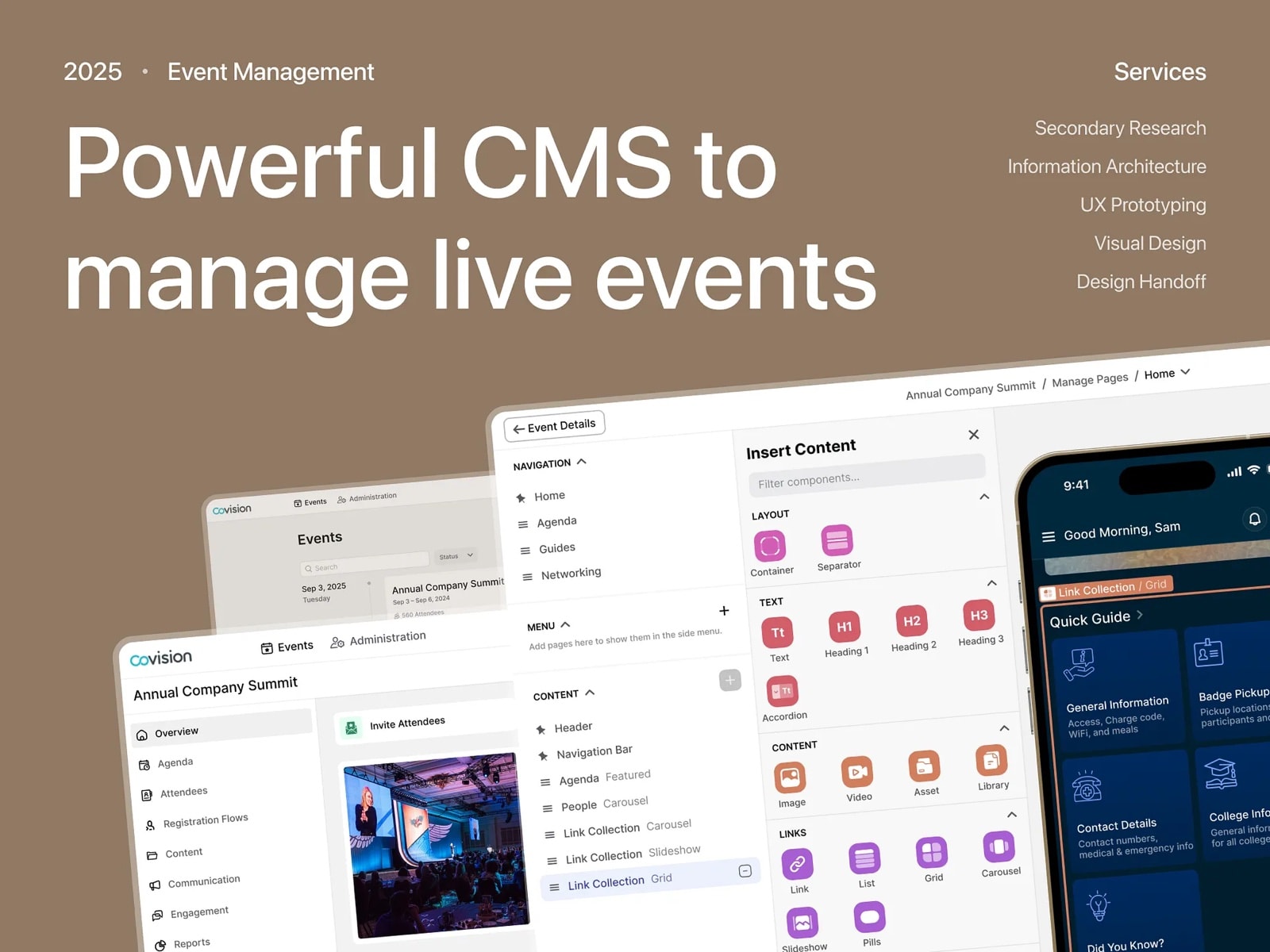
Redesigned an event management CMS so planners can build branded, mobile-ready attendee experiences, on top of the existing system instead of a rebuild.
- Role
- Senior Product Designer
- Timeline
- 4 months
2025 - Scope
- Research, IA
UX prototyping
Visual design - Worked with
- CEO
Product
Developers
(handoff & support) - Industry
- Event management
B2B SaaS
Key issues
What was getting in the way
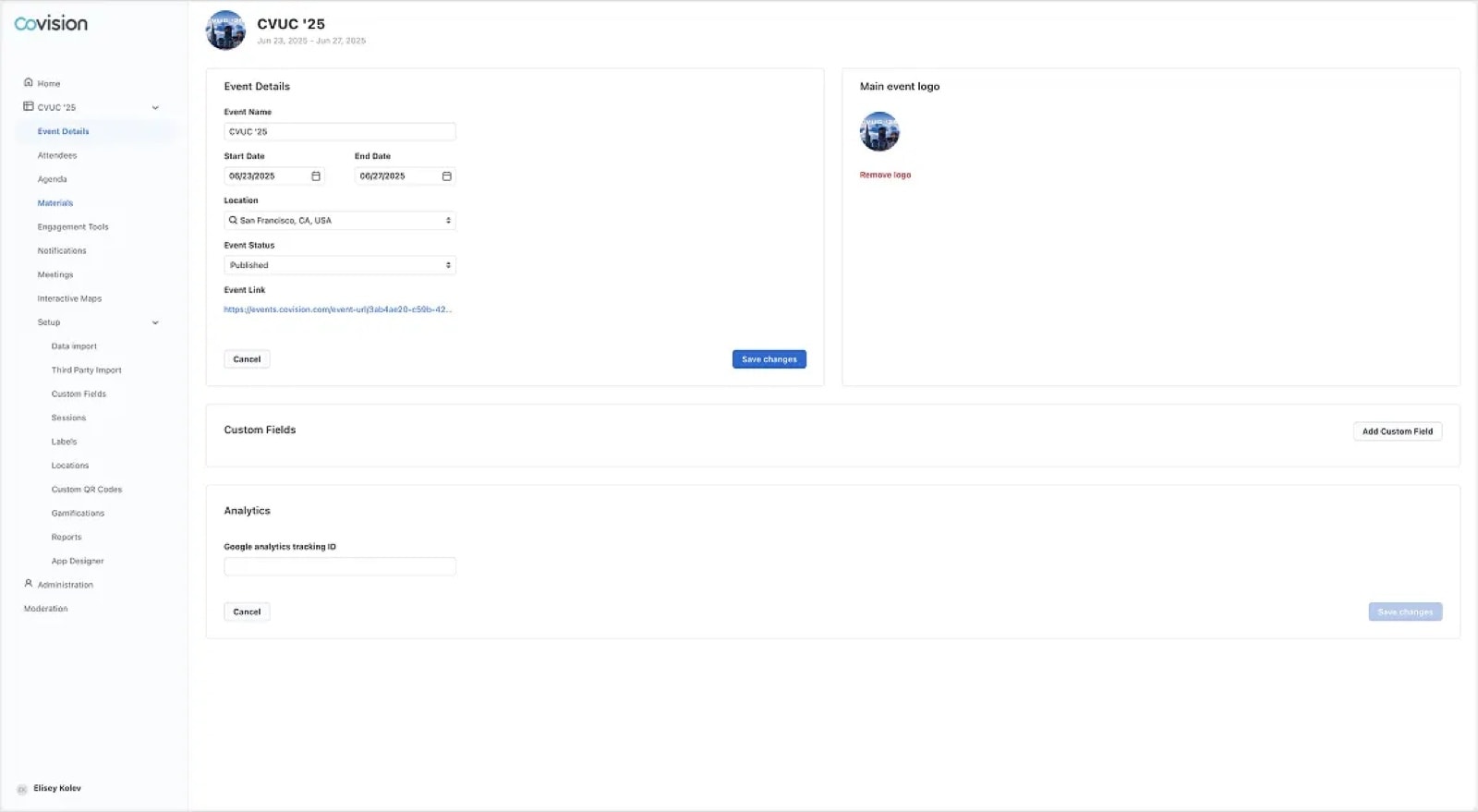
Important tools were hard to find
Key features were buried deep in a cluttered side menu, making them hard to access and slowing down workflows. It increased cognitive load and made core tasks feel hidden or less important.
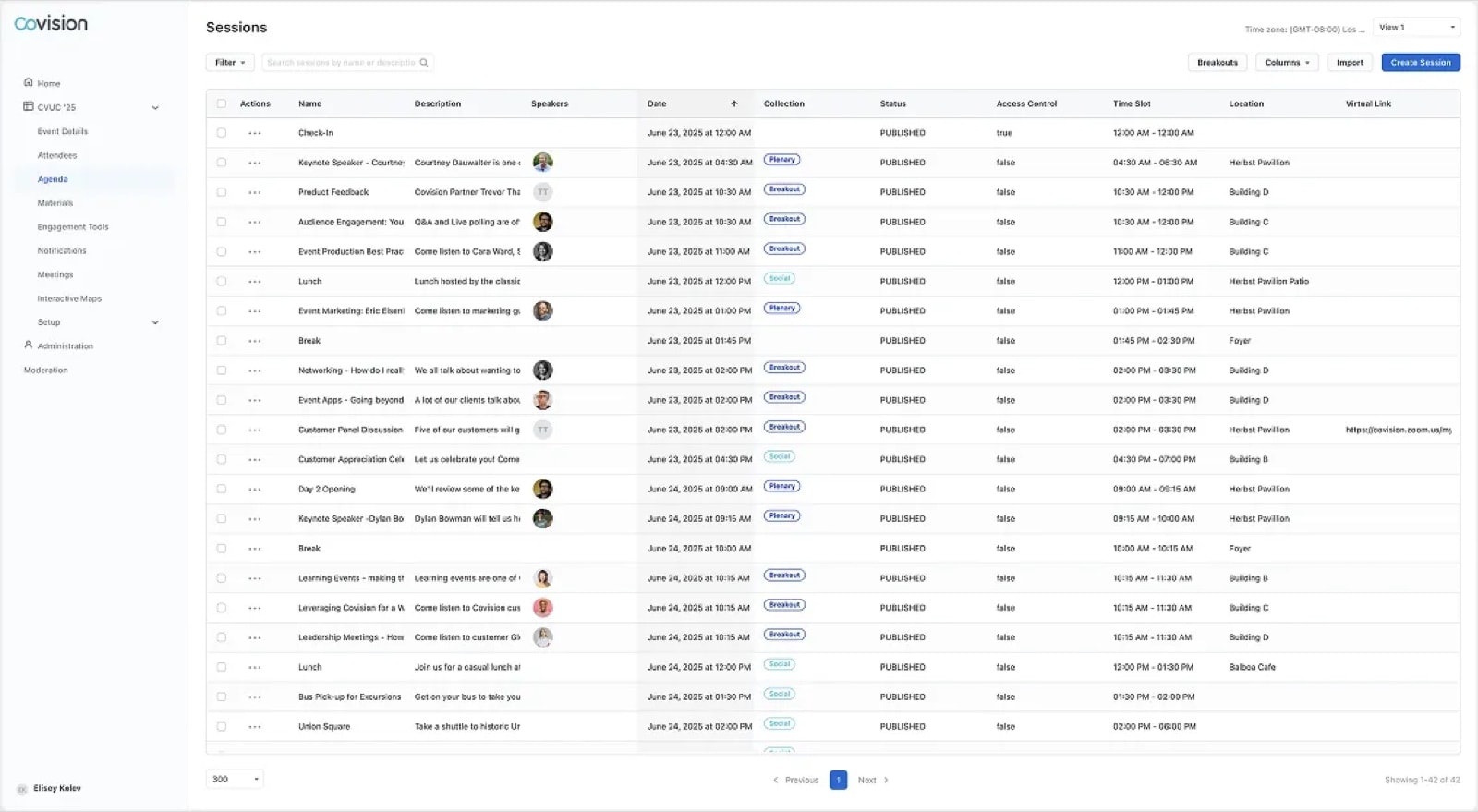
Flat tables with no visual hierarchy
Every page used the same plain layout, whether editing the homepage, managing attendees, or updating speakers. Nothing stood out, so planners couldn't tell what mattered, where they were, or what they were editing.
An outdated page builder with no attendee preview
Modules were basic links with limited layout control, no visual preview, and no styling options. Planners couldn't create engaging, on-brand experiences, only rigid, outdated pages.
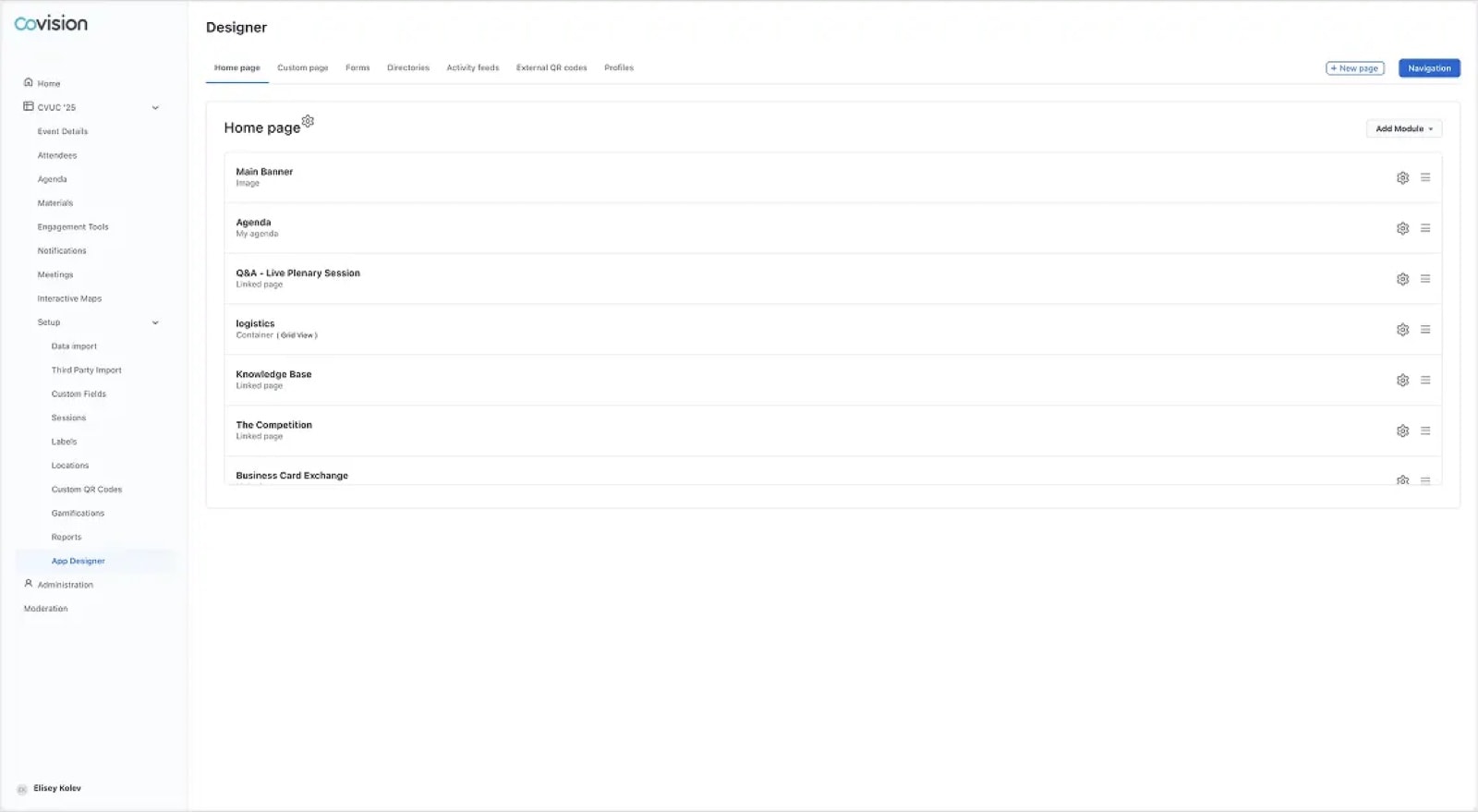
Every improvement was designed to fit the existing system, making it quick to build and simple to scale.
/01. Page builder
The page builder became the core of the attendee experience
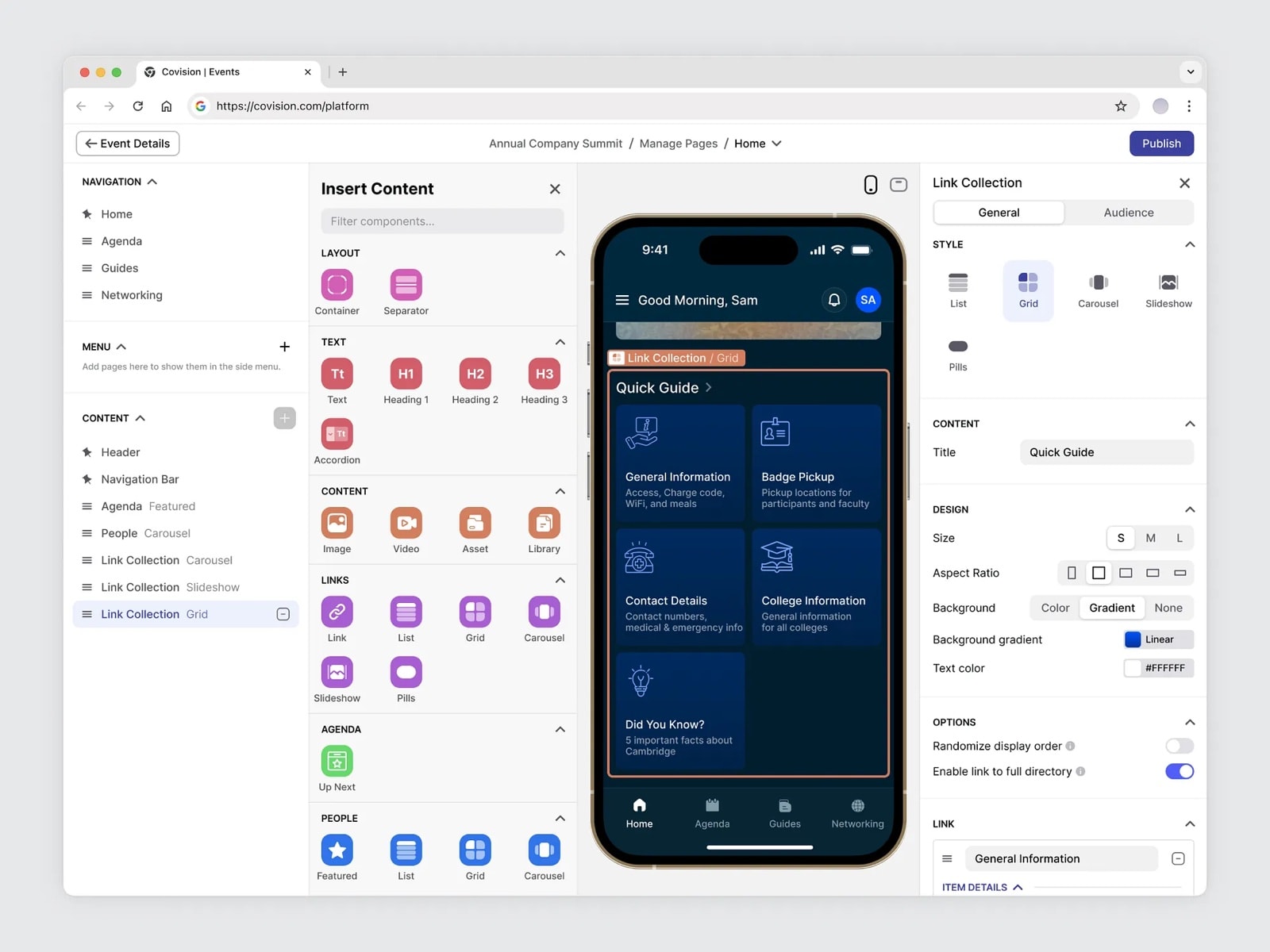
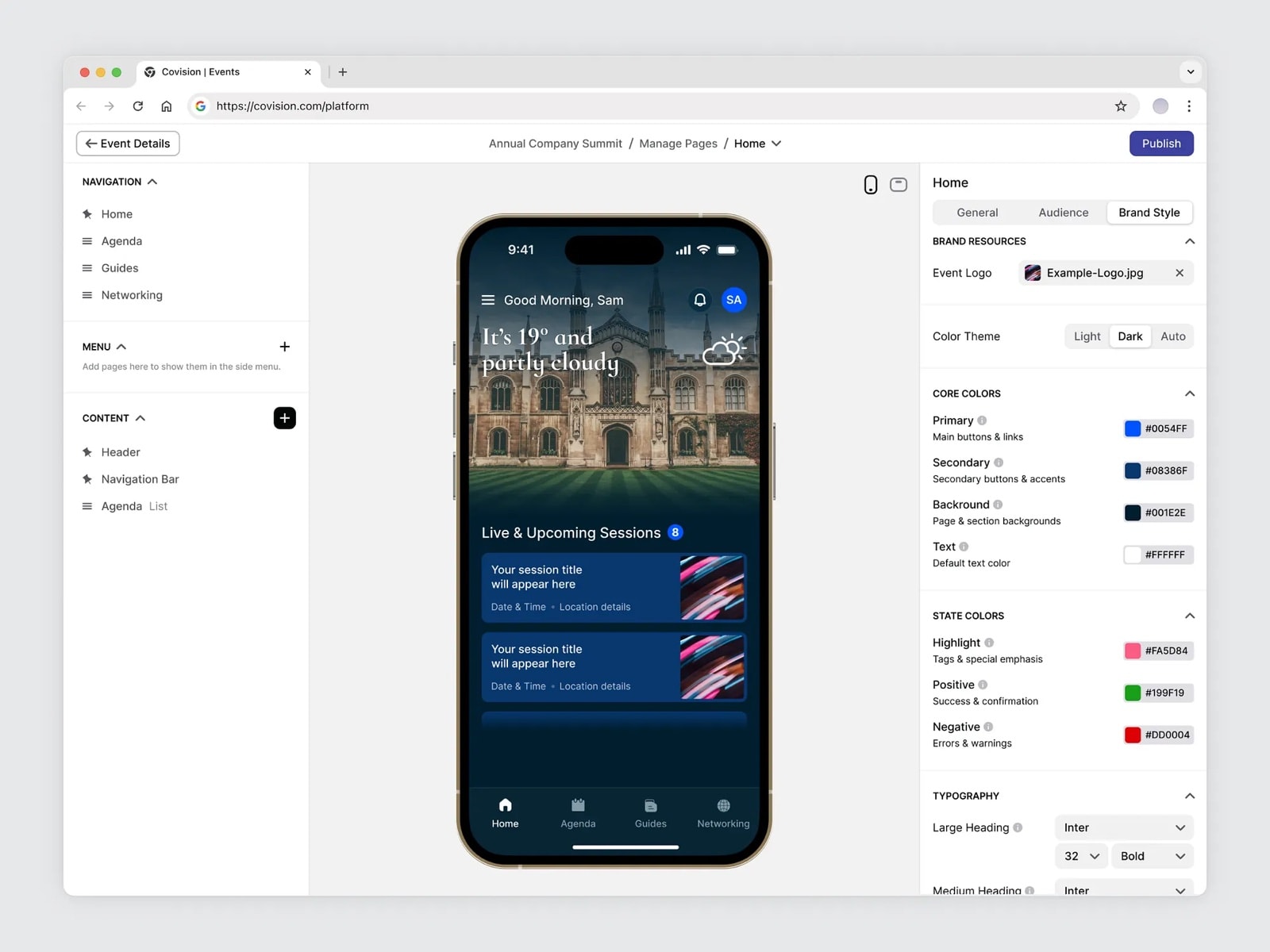
I redesigned the page builder so planners can create branded, mobile-ready pages that match exactly what attendees will see. It's simple but flexible: text, images, videos, links, agendas, speaker lists, carousels and more, all from one menu.
The live preview updates in real time and works on any device. Planners can switch between desktop and mobile views and fine-tune each layout, so experiences work across screens.
/02. Components
A library of components for every kind of event
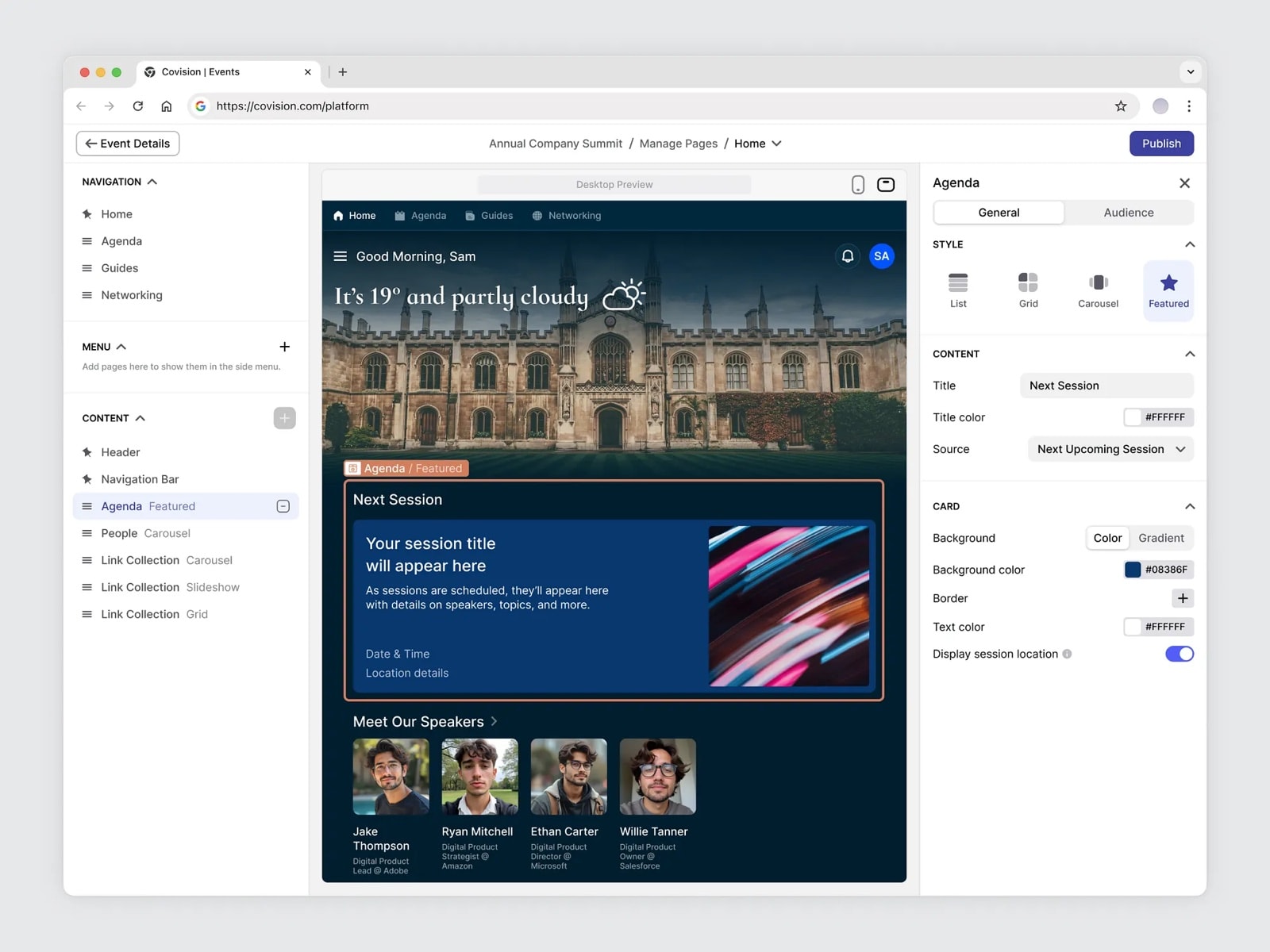
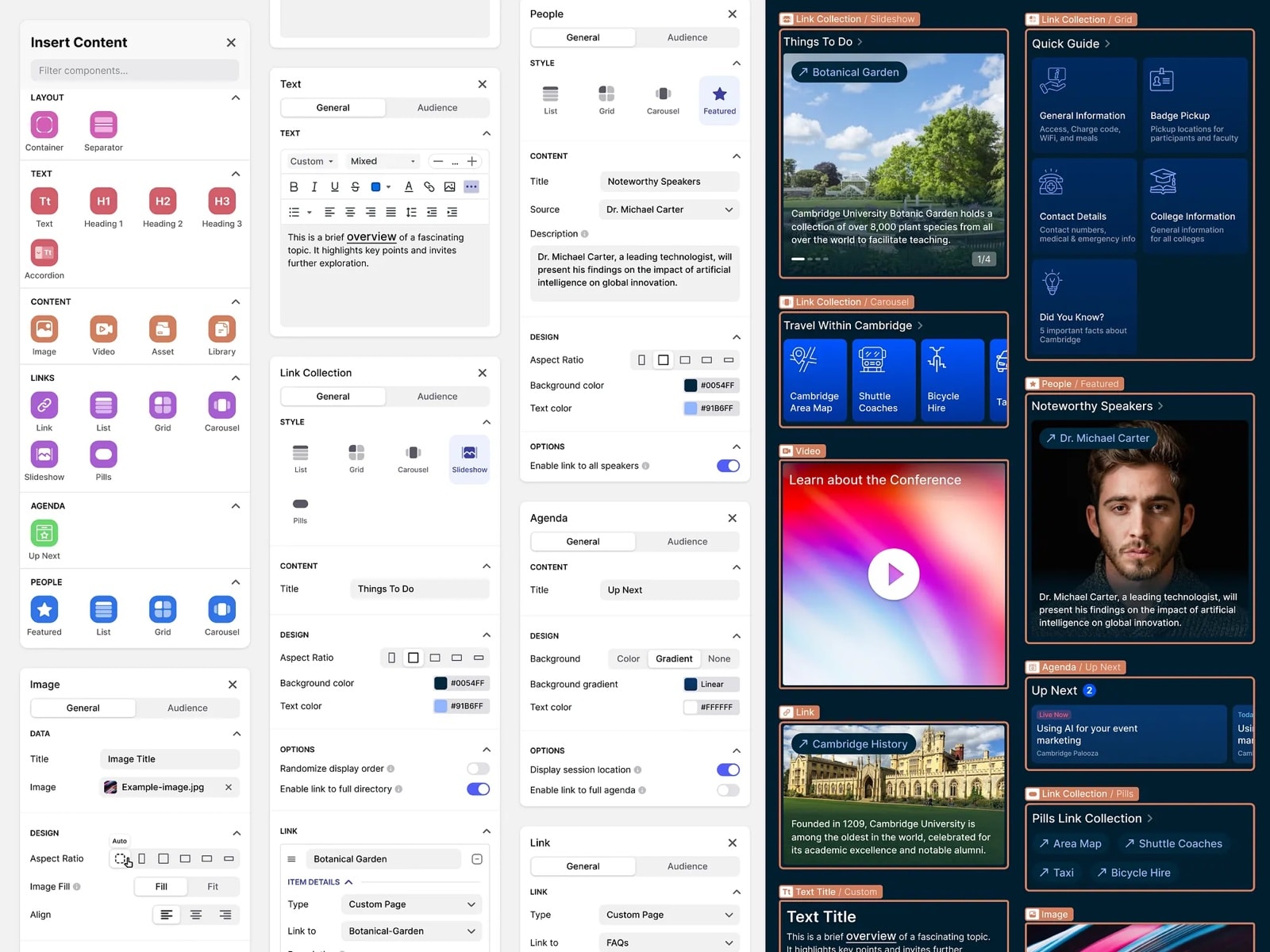
I expanded the component library with agendas, speaker lists and link collections, on top of text and media. Planners mix and match modules to build pages that fit their event.
Each component has built-in settings for layout, colors, visibility and behavior. Changes show up instantly in the live preview.
/04. Brand style
Brand controls keep everything on-brand
Planners set logos, colors and fonts in one place. The styles apply automatically across all pages and components, so buttons, backgrounds and text always follow the brand, with no manual edits.
/05. Event overview
A clear starting point for planners
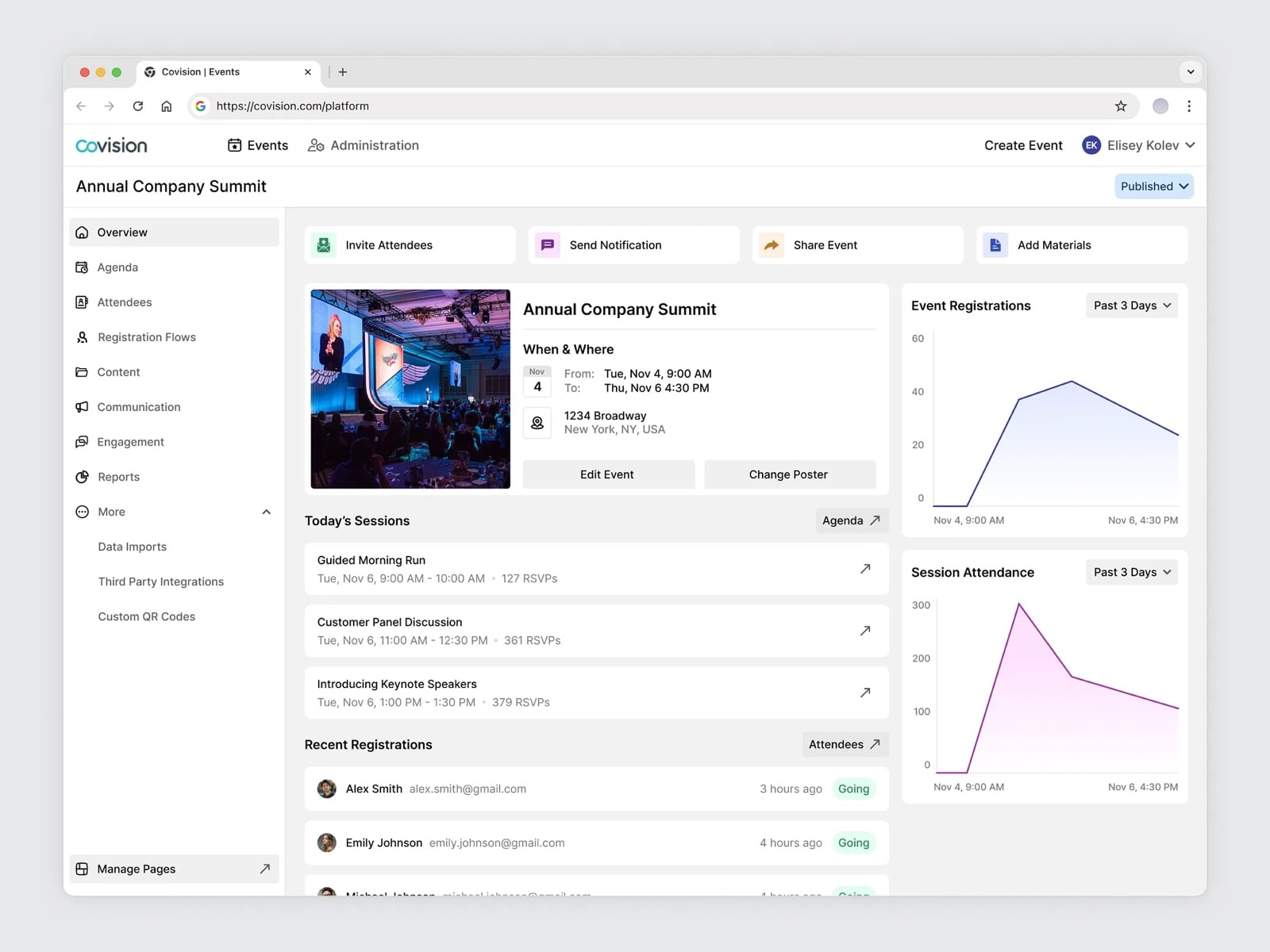
A new overview page shows key event information at a glance: registrations, session attendance and recent signups. It highlights today's sessions and offers quick links to common actions.
Planners no longer dig through menus. They start with a clear view of what's happening and act with fewer clicks.
/06. Product architecture
Improving the architecture without breaking what worked
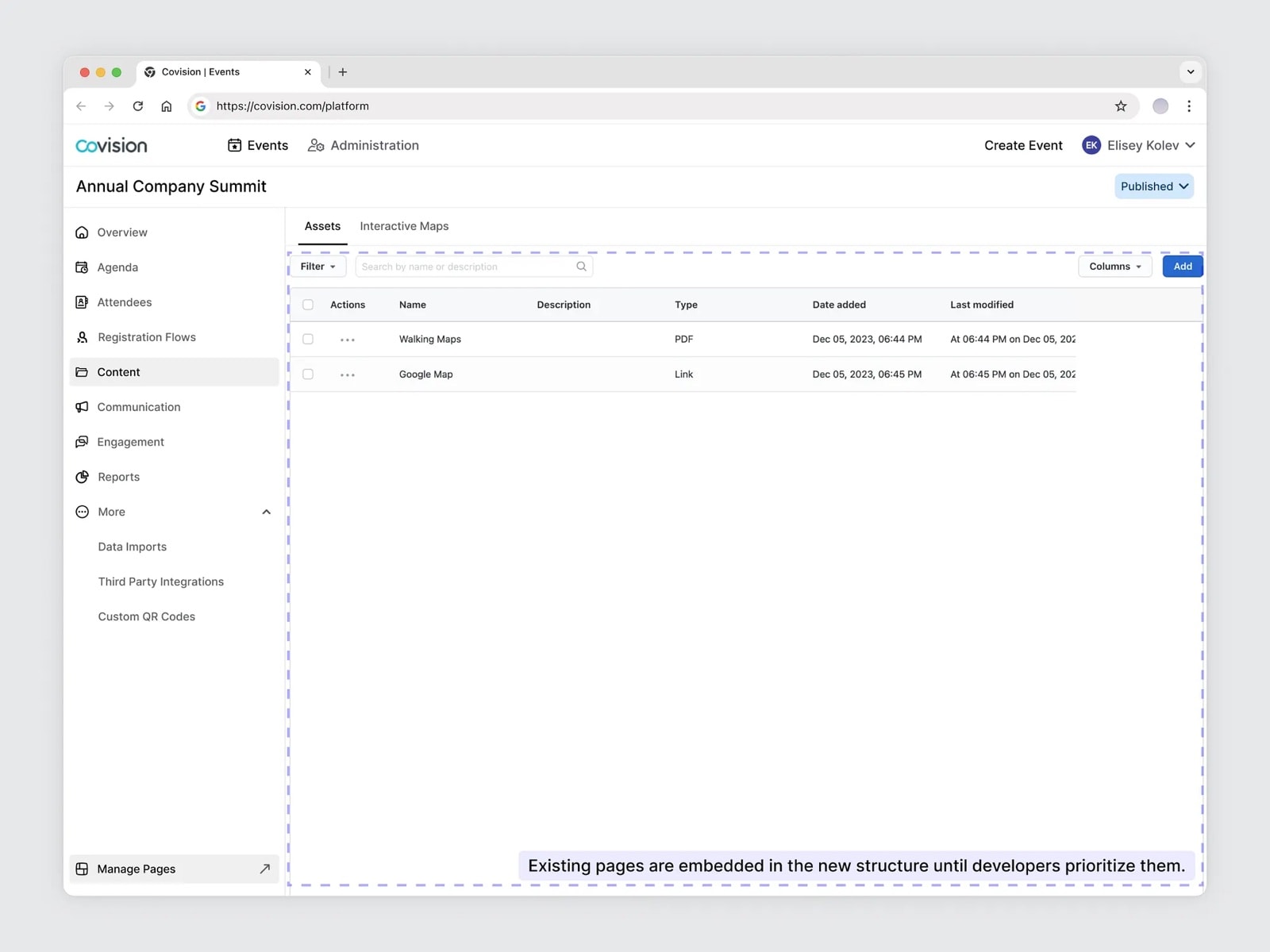
I didn't try to rebuild the platform from scratch. Instead, I worked closely with developers to make it easier to use, maintain and improve over time. Most existing pages stayed as they were at first, reorganized into a clearer structure that reflects how event teams actually work.
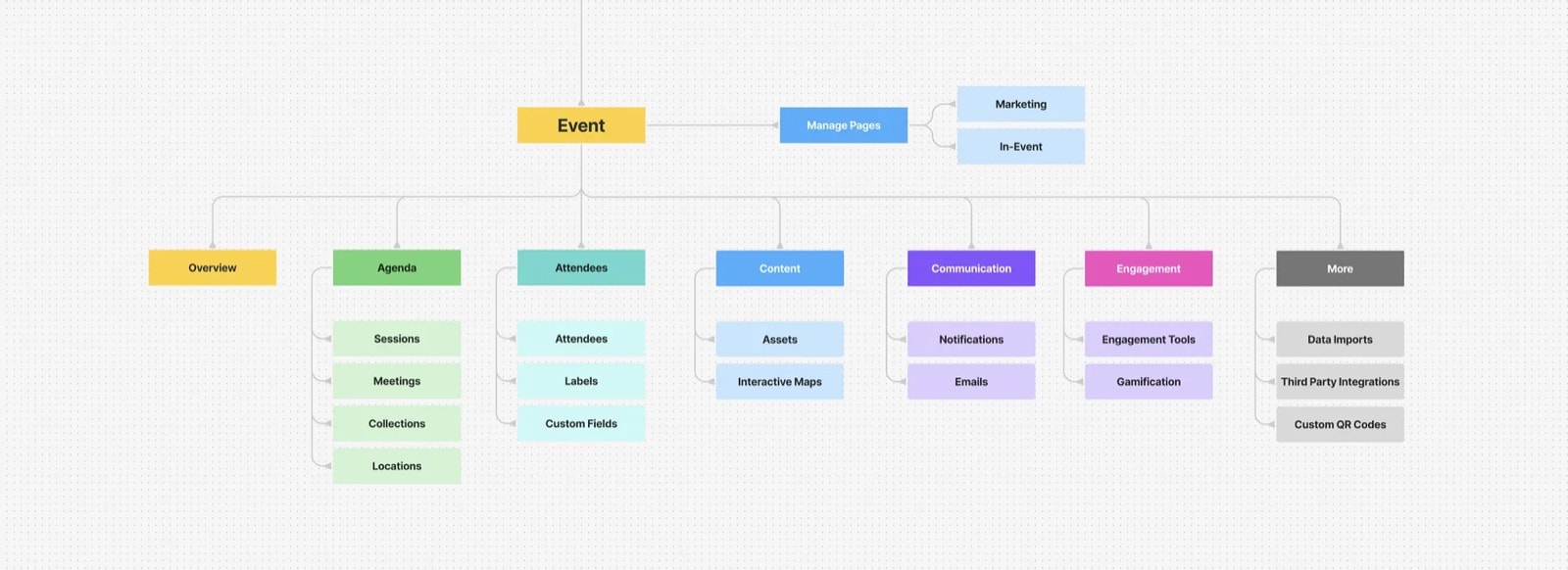
This made it possible to add new features, refresh old ones and improve the experience step by step, without slowing down development or creating extra work. It also gave developers a cleaner, more scalable foundation to build on.